

Chatbots overview
Last updated October 22, 2026
Overview
Chatbots interact with your customers automatically in the Atlas chat widget. They answer questions and resolve issues without needing an agent every time, and hand the conversation to your team when needed.
Every chatbot is a sequence of connected blocks. You decide how, when and under what conditions it runs, and which path the conversation follows. You build and manage chatbots in "Chatbots" .
Key Features
- Chatbots and workflows: Build customer-facing chatbots, or reusable workflows you insert into other chatbots.
- Branching paths: Route customers by their answers, business hours, website URL, customer segment or custom code.
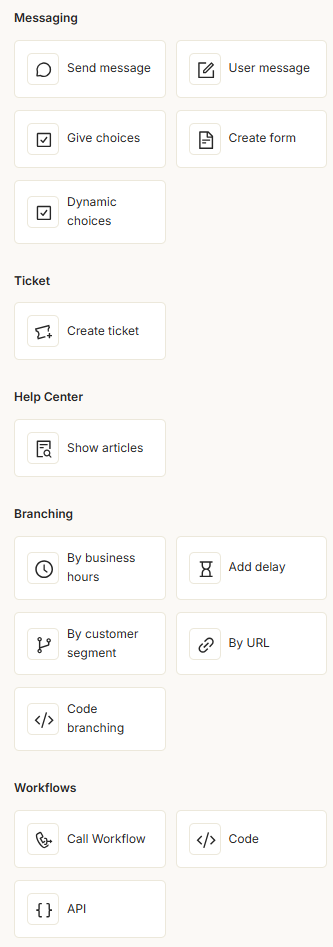
- Messaging blocks: Send messages, wait for replies, offer choices, show forms and display dynamic options.
- Ticket escalation: Create a ticket with the channel, status, team, agent, priority and tags you choose.
- Help Center articles: Show relevant articles directly in the chat.
- Code and API blocks: Run custom JavaScript or call external services and use the response in the conversation.
- Draft and publish: Changes save automatically as a draft and go live only when you click "Publish".
Chatbots and workflows
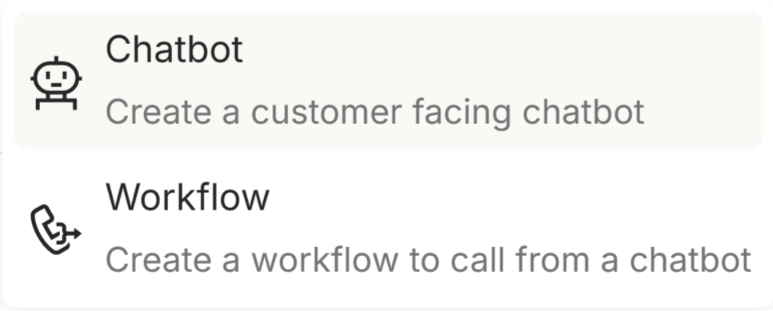
- Chatbot: The customer-facing bot. Customers interact with it when they start a conversation in the Atlas chat widget. Its start block has trigger settings that define when and for whom it launches.
- Workflow: A separate sequence of blocks that you insert into a chatbot, or into another workflow, as a single block. It has no trigger settings: its start block only needs a "Name" and a "Key". It runs automatically when the conversation reaches that block.
Both use the same blocks. Use workflows to split a complex process into smaller pieces you can reuse wherever you need them, instead of building one large chatbot.
How a chatbot runs
- One start, many ends: Every chatbot and workflow begins at a single start block and can branch into several end blocks.
- Dynamic paths: Atlas picks the next block based on the customer's actions and the paths you set.
- Draft vs. live: Everything is saved as a draft while you build. When you click "Publish", your changes go live in the chat widget immediately.
Components
- Block: A building step of a chatbot or workflow, such as sending a message or creating a ticket. Blocks must be connected to form the full flow.
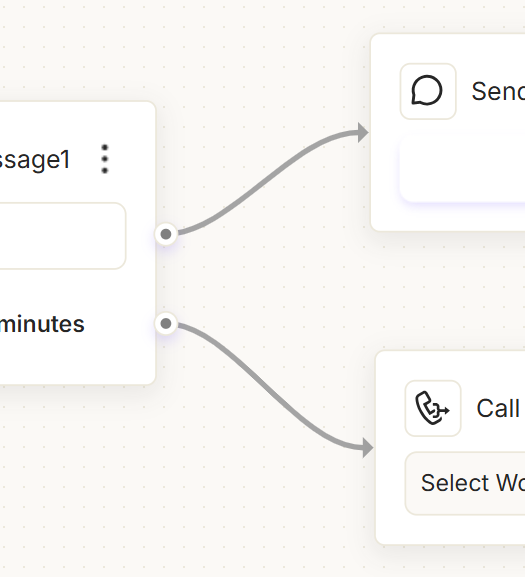
- Branch: One of the output points of a block. A block can have several branches, for example one per choice, and each branch can lead to a different block.
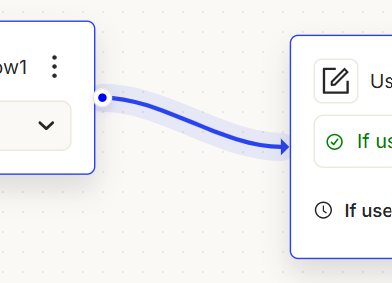
- Connection: The line that links a branch of one block to another block. Connections define the path the conversation follows.
Common use cases
- Routing customers: Ask what the conversation is about, then create a ticket for the right team or agent.
- Answering frequently asked questions: Show help center articles you've already written, so customers can solve common issues on their own.
- Qualifying leads: On your marketing pages, ask a few questions to qualify sales leads before handing them to your team.
Best practices
- Start lean: Launch with the core flow and improve it based on real conversations.
- Know your use case: Be clear about the problem the chatbot solves.
- Design for conversation flow: Guide customers naturally through each step instead of reacting to keywords only.
- Integrate with your stack: Pass the data you collect to your ticketing, CRM and other tools.
- Plan for handoffs: Decide when the chatbot escalates to a person, and pass the context along with it.
- Use data to improve: Track completion rates, drop-off points and frequent questions from day one.
- Keep it on brand: Match the chatbot's tone to your brand voice.
- Respect customers' time: Keep messages short. If a process is complex, consider whether chat is the right place for it.
Was this article helpful?